Introduction to 10.0.0. and Its Role in Networking
The term 10.0.0. is widely associated with computer networking, specifically with private IP addressing used in local networks around the world. Although it is often seen in incomplete form, it actually refers to the broader private IPv4 range 10.0.0.0/8, which plays a foundational role in how devices communicate inside homes, businesses, and enterprise systems. This range is part of the global internet architecture designed to allow internal communication without consuming public IP addresses.
In modern digital systems, every connected device requires an IP address to communicate. However, because public IPv4 addresses are limited, private addressing systems like 10.0.0.0 were created to support internal networks. This allows billions of devices to operate safely and efficiently within local environments while sharing a smaller number of public IPs through routers and network translation systems.
Understanding 10.0.0 is important not only for IT professionals but also for everyday users who interact with routers, Wi-Fi networks, and smart devices. It helps explain how the internet works behind the scenes and why devices in the same home or office can connect seamlessly without requiring individual public IP addresses.
The Structure and Meaning of the 10.0.0.0 Network Range
The 10.0.0.0 network belongs to a reserved private IP block defined under global internet standards. This block spans from 10.0.0.0 to 10.255.255.255, making it one of the largest private addressing ranges available in IPv4 networking. It is part of the RFC 1918 standard, which defines private IP spaces that cannot be routed directly on the public internet.
The structure of this range allows for a vast number of internal devices to be connected without conflict. In practical terms, organizations can create millions of unique addresses within this space, making it ideal for large-scale environments such as enterprises, universities, cloud infrastructures, and data centers. The flexibility of this range makes it significantly more scalable than smaller private ranges like 192.168.x.x.
Even though users often see simplified forms like 10.0.0, it is important to understand that a valid IP address always contains four octets. Common examples include 10.0.0.1 or 10.0.0.254. These addresses are assigned to devices within a network to ensure smooth communication between routers, computers, and other connected systems.
Why Private IP Addressing Like 10.0.0 Exists
Private IP addressing was introduced to solve a major limitation in early internet development: the shortage of IPv4 addresses. As the internet expanded rapidly, it became clear that the available pool of public IPs would not be sufficient for the growing number of connected devices worldwide. To solve this problem, private IP ranges were created to allow internal reuse of addresses.
The 10.0.0.0 range is one of the three primary private IP blocks. These addresses are not unique globally, meaning different networks can use the same range without interfering with each other. This works because private IPs remain confined within local networks and are not visible on the public internet. This separation ensures that billions of devices can coexist without exhausting global IP resources.
Routers play a critical role in this system by using Network Address Translation (NAT). NAT allows multiple private devices to share a single public IP address when accessing the internet. This system not only conserves IP addresses but also adds a layer of security by masking internal network structures from external users.
How Devices Use 10.0.0 Addresses in Real Networks
In real-world networks, devices such as smartphones, laptops, printers, smart TVs, and IoT devices often receive IP addresses within the 10.0.0.x range. These addresses are typically assigned automatically by a router using a system called DHCP, which dynamically distributes available IPs to connected devices.
When a device connects to a network, it is assigned a private IP like 10.0.0.5 or 10.0.0.20. This allows it to communicate with other devices within the same network, such as sharing files, printing documents, or streaming media. At the same time, the router manages communication between the local network and the internet.
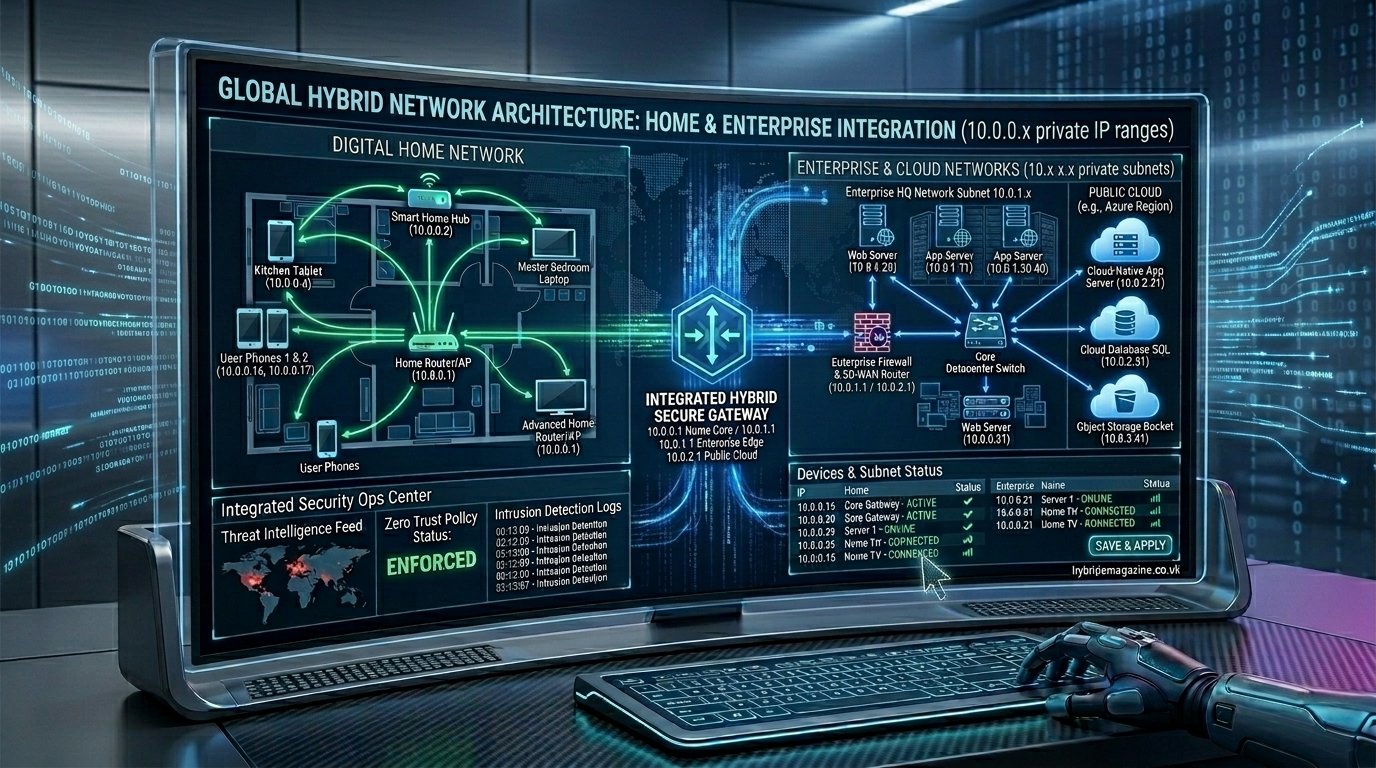
In larger environments such as corporate offices or cloud platforms, the 10.0.0 range is often divided into multiple segments. These segments help organize devices into structured groups, improving performance and making network management more efficient. This separation also helps administrators control traffic flow and enhance internal security policies.
The Importance of 10.0.0.1 in Router Configuration
One of the most commonly recognized addresses in the 10.0.0 range is 10.0.0.1, which is frequently used as a default gateway for routers. This address acts as the entry point for users who want to access their router’s configuration panel through a web browser.
When users enter 10.0.0.1, they can access settings that control Wi-Fi names, passwords, security configurations, parental controls, and firmware updates. This makes it one of the most important access points in home networking environments. Without this interface, managing a network would be significantly more complex for everyday users.
Different router manufacturers may use different default gateway addresses, but 10.0.0.1 remains widely used in many modern devices. It is especially common in cable modem routers and enterprise-grade networking equipment. Access to this address is typically protected by login credentials to ensure that only authorized users can modify network settings.
Subnetting and the Expansion of 10.0.0 Networks
Subnetting is a technique used to divide a large network into smaller, more manageable sections. Within the 10.0.0.0 range, subnetting allows administrators to create structured networks that improve efficiency and organization. Each subnet can represent a department, device group, or functional system within a larger network.
For example, a company might use one subnet for employee computers, another for servers, and another for guest Wi-Fi users. Although all these subnets belong to the larger 10.0.0.0 network, they operate independently, allowing better traffic control and security segmentation. This reduces congestion and improves overall network performance.
Subnet masks define how IP addresses are divided between network and host portions. By adjusting these masks, administrators can control how many devices belong to each subnet. This flexibility makes the 10.0.0 range extremely powerful in enterprise environments where scalability and control are essential.
Security Aspects of the 10.0.0 Private Network Space
One of the key advantages of private IP ranges like 10.0.0 is the built-in security provided by isolation from the public internet. Since these addresses are not directly reachable from outside networks, they are naturally protected from many types of external attacks.
However, this does not mean that networks using 10.0.0 are automatically secure. Internal threats, weak passwords, outdated firmware, and misconfigured routers can still expose vulnerabilities. Security depends on proper configuration and ongoing maintenance rather than the IP range itself.
Modern networks often combine private addressing with additional security measures such as firewalls, encryption protocols, VPNs, and intrusion detection systems. These tools ensure that even if a network is private, it remains protected against unauthorized access and malicious activity.
Common Network Issues Involving 10.0.0 Addresses
Although 10.0.0 networks are stable and widely used, users sometimes encounter issues related to IP conflicts or misconfigurations. These problems can occur when multiple devices attempt to use the same IP address or when router settings are incorrectly configured.
Another common issue arises when users misunderstand private IP behavior. For example, attempting to access a 10.0.0.x address from outside the local network will not work because private IPs are not routable over the internet. This often leads to confusion when remote access is not properly configured.
Network administrators typically resolve these issues by resetting DHCP assignments, restarting routers, or adjusting subnet configurations. In more complex environments, careful planning is required to avoid overlapping IP ranges, especially when connecting multiple networks together through VPNs or cloud services.
Read more: 10.0.0.
The Future of 10.0.0 in Modern Networking Systems
Even with the global shift toward IPv6, private IPv4 addressing like 10.0.0.0 continues to play a crucial role in networking infrastructure. Many existing systems, devices, and applications still rely heavily on IPv4 due to compatibility and cost considerations.
The transition to IPv6 will take many years, and during this period, hybrid networks that combine both IPv4 and IPv6 will remain common. In these environments, private IP ranges like 10.0.0 will continue to function as essential building blocks for internal communication.
As technology evolves, the importance of understanding private networking will only increase. Whether managing home Wi-Fi or designing enterprise systems, the 10.0.0 range remains a fundamental concept that underpins how modern digital communication operates efficiently and securely.
Conclusion
The 10.0.0 network range is a critical part of modern internet architecture, enabling efficient internal communication across billions of devices worldwide. It provides the foundation for private networking, allowing homes, businesses, and global organizations to operate smoothly without exhausting public IP resources.
From router configuration and subnetting to security and cloud computing, the 10.0.0 structure plays a silent yet powerful role in everyday digital life. Understanding how it works gives users a clearer picture of how the internet functions behind the scenes and why private addressing remains essential even in today’s advanced networking environment.